MPU-6050 — i2c address & wiring
6-axis accelerometer + gyroscope, a hobbyist staple.
Key facts
MPU-6050 at a glance
| i2c address | 0x680x69 address-selectable via pins/jumpers |
|---|---|
| Logic voltage | 3.3–5 V |
| Type | sensor |
| Part | InvenSense MPU-6050 |
| Ships with | Qwiic, Grove |
| Datasheet | InvenSense MPU-6050 — manufacturer documentation ↗ |
The chip
What the InvenSense MPU-6050 actually is
Six-axis inertial measurement unit (IMU) integrating a three-axis accelerometer and three-axis gyroscope. Includes a Digital Motion Processor (DMP) capable of offloading motion processing and sensor fusion from the host microcontroller.
Watch out: Genuine MPU-6050s went end-of-life years ago, so most GY-521 modules now carry clone silicon. Clones mostly work, but many return the wrong WHO_AM_I (0x98 instead of 0x68) — which makes libraries that verify the ID refuse to start. Patch the check, or use a library that skips it.
Wiring
How to connect the MPU-6050
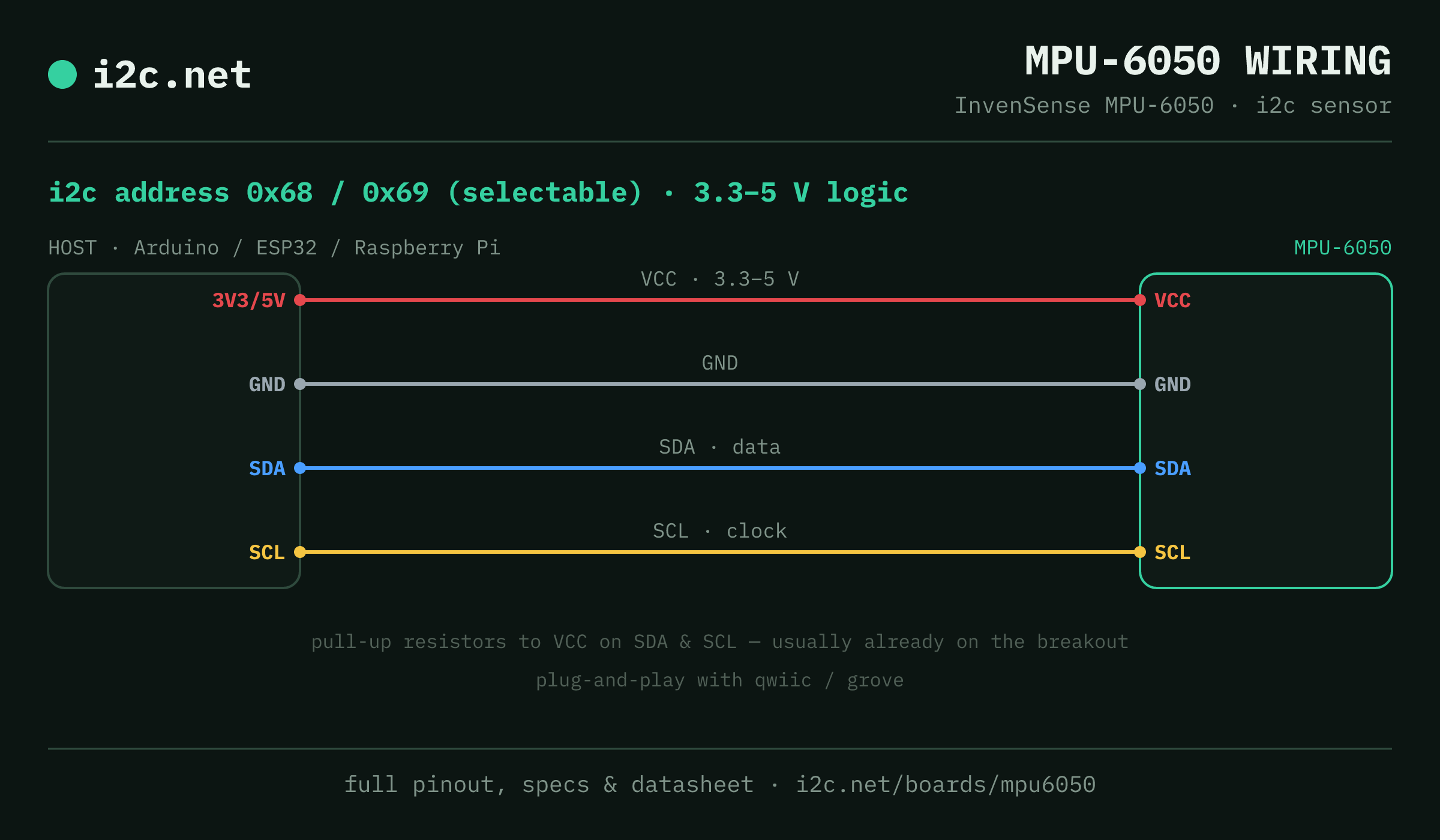
The MPU-6050 talks i2c at address 0x68 (up to 2 selectable addresses, handy when you need more than one on the same bus). It runs at 3.3–5 V, so match your host's logic level — if your host is 5 V and a board on the bus is 3.3 V-only, add a level shifter. Use the compatibility checker to confirm the exact cable for your setup.
Because the address is selectable, you can run several MPU-6050 boards on one bus by setting each to a different address — no extra wiring beyond the shared SDA/SCL.
Wiring is the usual four: power, ground, SDA and SCL, plus pull-up resistors — almost always already fitted on the breakout. Nothing showing up? Run an i2c scanner first; if the bus is silent, the 7-step checklist finds it faster than guessing.
Ecosystems
Plug-together options for the MPU-6050
MPU-6050 breakouts ship with Qwiic and Grove — keyed 4-pin cables carrying power, ground, SDA and SCL, so there's nothing to solder and nothing to wire backwards. Chain it to the next board and keep going.
Running a mixed bench? Those ecosystems interoperate more than their marketing suggests — see every connector pairing for the cable or adapter you need, or the standards overview for how they compare.
Go deeper
Guides covering the MPU-6050
Alternatives
Other motion boards
Watch the bus
Boards that clash with the MPU-6050
These want addresses the MPU-6050 also answers (0x68, 0x69), so they can't share a bus with it untouched. If one is address-selectable, strap it elsewhere; if not, the conflict guide covers the multiplexer and second-bus routes, and the collision roundup explains why a scan won't warn you.
Get one
Questions
MPU-6050 i2c FAQ
What is the MPU-6050's i2c address?
The MPU-6050 uses 0x68 or 0x69, selected with an address pin or solder jumper on the board. If a scan turns up something unexpected, our i2c address list names the usual suspect for every address.
What voltage does the MPU-6050 run at?
3.3–5 V logic. That range covers both 3.3 V and 5 V hosts, so it drops onto a Pi, ESP32 or Arduino without a level shifter.
Can I use two MPU-6050s on one i2c bus?
Yes — set each one to a different address (0x68, 0x69) using its address pin or jumper, then wire both to the same SDA/SCL. That gives you up to 2 on a single bus before you need a multiplexer.
Does the MPU-6050 work with Qwiic and Grove?
Yes — MPU-6050 breakouts ship with Qwiic / Grove, so it plugs straight in with no soldering. Mixing ecosystems? The compatibility checker gives you the exact cable or adapter.
What should I watch out for with the MPU-6050?
Genuine MPU-6050s went end-of-life years ago, so most GY-521 modules now carry clone silicon. Clones mostly work, but many return the wrong WHO_AM_I (0x98 instead of 0x68) — which makes libraries that verify the ID refuse to start. Patch the check, or use a library that skips it.