MPU-9250 — i2c address & wiring
9-axis motion sensor: gyro and accelerometer, plus a separate AK8963 magnetometer die.
Key facts
MPU-9250 at a glance
| i2c address | 0x680x69 address-selectable via pins/jumpers |
|---|---|
| Logic voltage | 2.4–3.6 V |
| Type | sensor |
| Part | TDK InvenSense MPU-9250 |
| Ships with | Grove |
| Datasheet | TDK InvenSense MPU-9250 — manufacturer documentation ↗ |
The chip
What the TDK InvenSense MPU-9250 actually is
Nine-axis motion tracking in one package built from two dies — one holding a 3-axis gyroscope, 3-axis accelerometer and a Digital Motion Processor, the other an AK8963 3-axis magnetometer. The AD0 pin selects 0x68 or 0x69. VDD runs 2.4–3.6 V, with a separate VDDIO (1.71 V up to VDD) setting the logic level.
Watch out: The magnetometer doesn't show up in a normal scan: the AK8963 sits behind the main chip at 0x0C and only appears once you enable pass-through (bypass) mode — so a scan showing just 0x68 isn't a fault. To confirm the chip is genuine, read WHO_AM_I (register 0x75): a real MPU-9250 returns 0x71. Anything else isn't an MPU-9250, so check before you rely on the magnetometer.
Wiring
How to connect the MPU-9250
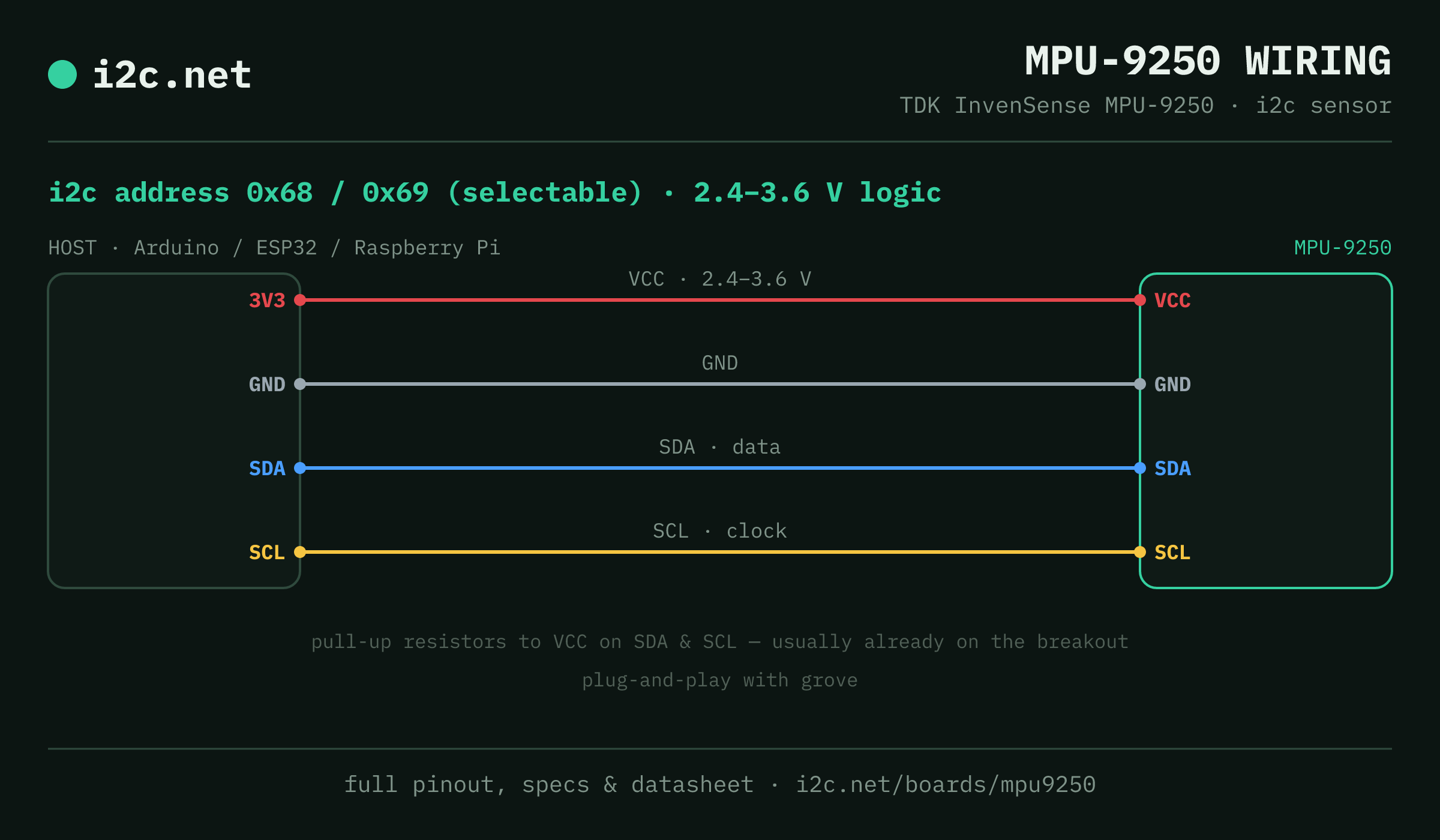
The MPU-9250 talks i2c at address 0x68 (up to 2 selectable addresses, handy when you need more than one on the same bus). It runs at 2.4–3.6 V, so match your host's logic level — if your host is 5 V and a board on the bus is 3.3 V-only, add a level shifter. Use the compatibility checker to confirm the exact cable for your setup.
Because the address is selectable, you can run several MPU-9250 boards on one bus by setting each to a different address — no extra wiring beyond the shared SDA/SCL.
Wiring is the usual four: power, ground, SDA and SCL, plus pull-up resistors — almost always already fitted on the breakout. Nothing showing up? Run an i2c scanner first; if the bus is silent, the 7-step checklist finds it faster than guessing.
Ecosystems
Plug-together options for the MPU-9250
MPU-9250 breakouts ship with Grove — keyed 4-pin cables carrying power, ground, SDA and SCL, so there's nothing to solder and nothing to wire backwards. Chain it to the next board and keep going.
Running a mixed bench? Those ecosystems interoperate more than their marketing suggests — see every connector pairing for the cable or adapter you need, or the standards overview for how they compare.
Alternatives
Other motion boards
Watch the bus
Boards that clash with the MPU-9250
These want addresses the MPU-9250 also answers (0x68, 0x69), so they can't share a bus with it untouched. If one is address-selectable, strap it elsewhere; if not, the conflict guide covers the multiplexer and second-bus routes, and the collision roundup explains why a scan won't warn you.
Get one
Questions
MPU-9250 i2c FAQ
What is the MPU-9250's i2c address?
The MPU-9250 uses 0x68 or 0x69, selected with an address pin or solder jumper on the board. If a scan turns up something unexpected, our i2c address list names the usual suspect for every address.
What voltage does the MPU-9250 run at?
The chip's VDD is 2.4–3.6 V, and its i2c levels follow VDDIO (1.71 V up to VDD) — so a bare MPU-9250 is a 3.3 V part. Many modules add a regulator for a 5 V supply, but check whether yours also level-shifts SDA/SCL before connecting a 5 V Arduino.
Can I use two MPU-9250s on one i2c bus?
Yes — set each one to a different address (0x68, 0x69) using its address pin or jumper, then wire both to the same SDA/SCL. That gives you up to 2 on a single bus before you need a multiplexer.
Does the MPU-9250 work with Grove?
Yes — MPU-9250 breakouts ship with Grove, so it plugs straight in with no soldering. Mixing ecosystems? The compatibility checker gives you the exact cable or adapter.
What should I watch out for with the MPU-9250?
The magnetometer doesn't show up in a normal scan: the AK8963 sits behind the main chip at 0x0C and only appears once you enable pass-through (bypass) mode — so a scan showing just 0x68 isn't a fault. To confirm the chip is genuine, read WHO_AM_I (register 0x75): a real MPU-9250 returns 0x71. Anything else isn't an MPU-9250, so check before you rely on the magnetometer.