1.9inch Segment e-Paper — i2c address & wiring
91-segment e-paper for temperature and humidity readouts — 0.01 µA asleep, and it keeps the image with the power off.
Key facts
1.9inch Segment e-Paper at a glance
| i2c address | 0x3C0x3D address-selectable via pins/jumpers |
|---|---|
| Logic voltage | 3.3–5 V |
| Type | display |
| Part | Waveshare 1.9inch Segment e-Paper |
| Ships with | generic modules — plain 0.1″ headers, no connector system |
| Datasheet | Waveshare 1.9inch Segment e-Paper — manufacturer documentation ↗ |
The chip
What the Waveshare 1.9inch Segment e-Paper actually is
Segment (not pixel-addressable) e-paper module driving a fixed 91-segment layout built for temperature/humidity readouts, in black and white. A full refresh takes about 1.5 s and a partial refresh about 0.3 s, drawing under 5 mW while refreshing and essentially nothing between updates — under 0.01 µA asleep — because e-paper holds its image with no power at all. The natural display for a battery sensor node that updates once a minute.
Watch out: It occupies two addresses at once, not one: 0x3C takes commands and 0x3D takes data (an alternate config moves them to 0x3E/0x3F). That's a direct collision with the SSD1306 and SH1106 OLEDs, which live at exactly 0x3C/0x3D — so an OLED and this panel can't share a bus without switching the e-paper to its alternate pair or adding a multiplexer. Also note the IO level must match the supply rail, and a visible flicker during full refresh is normal e-paper behaviour, not a fault.
Wiring
How to connect the 1.9inch Segment e-Paper
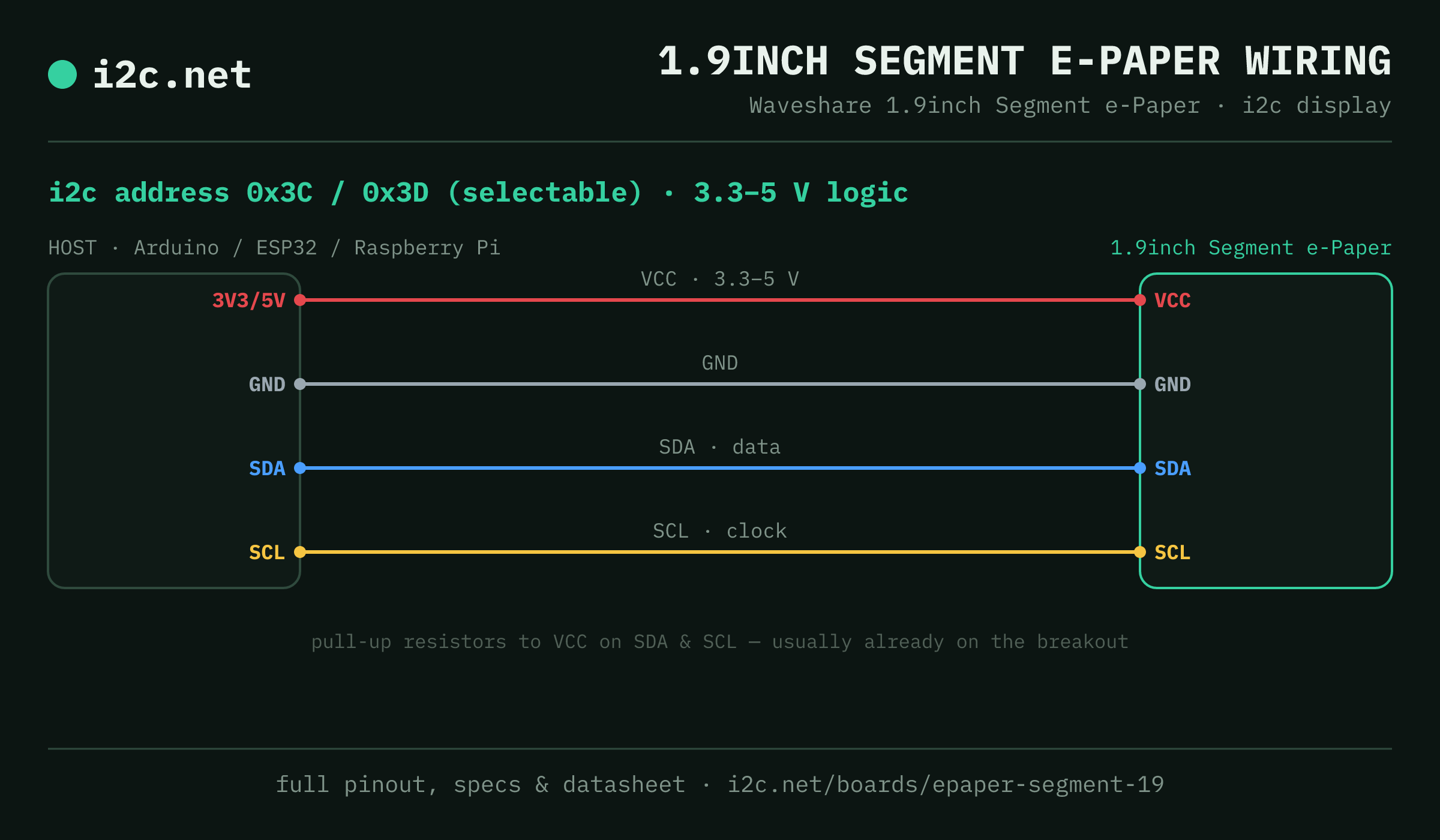
The 1.9inch Segment e-Paper talks i2c at address 0x3C (up to 2 selectable addresses, handy when you need more than one on the same bus). It runs at 3.3–5 V, so match your host's logic level — if your host is 5 V and a board on the bus is 3.3 V-only, add a level shifter. Use the compatibility checker to confirm the exact cable for your setup.
Because the address is selectable, you can run several 1.9inch Segment e-Paper boards on one bus by setting each to a different address — no extra wiring beyond the shared SDA/SCL.
Wiring is the usual four: power, ground, SDA and SCL, plus pull-up resistors — almost always already fitted on the breakout. Nothing showing up? Run an i2c scanner first; if the bus is silent, the 7-step checklist finds it faster than guessing.
Go deeper
Guides covering the 1.9inch Segment e-Paper
Alternatives
Other display boards
Get one
Questions
1.9inch Segment e-Paper i2c FAQ
What is the 1.9inch Segment e-Paper's i2c address?
The 1.9inch Segment e-Paper uses 0x3C or 0x3D, selected with an address pin or solder jumper on the board. If a scan turns up something unexpected, our i2c address list names the usual suspect for every address.
What voltage does the 1.9inch Segment e-Paper run at?
3.3 V or 5 V — but Waveshare specifies the IO level voltage must match the supply voltage, so don't run 3.3 V logic into a 5 V-powered panel or the reverse.
Can I use two 1.9inch Segment e-Papers on one i2c bus?
Yes — set each one to a different address (0x3C, 0x3D) using its address pin or jumper, then wire both to the same SDA/SCL. That gives you up to 2 on a single bus before you need a multiplexer.
Does the 1.9inch Segment e-Paper come as a plug-together breakout?
Not in the mainstream connector ecosystems — 1.9inch Segment e-Paper modules are generic boards with 0.1″ headers, so you'll be soldering headers and running jumper wires to SDA, SCL, power and ground.
What should I watch out for with the 1.9inch Segment e-Paper?
It occupies two addresses at once, not one: 0x3C takes commands and 0x3D takes data (an alternate config moves them to 0x3E/0x3F). That's a direct collision with the SSD1306 and SH1106 OLEDs, which live at exactly 0x3C/0x3D — so an OLED and this panel can't share a bus without switching the e-paper to its alternate pair or adding a multiplexer. Also note the IO level must match the supply rail, and a visible flicker during full refresh is normal e-paper behaviour, not a fault.