XGZP — i2c address & wiring
Cheap i2c pressure sensor family — capable, but the address genuinely varies between batches.
Key facts
XGZP at a glance
| i2c address | 0x6D fixed address |
|---|---|
| Logic voltage | 3.3–5 V |
| Type | sensor |
| Part | CFSensor XGZP6847D / XGZP6897D |
| Ships with | generic modules — plain 0.1″ headers, no connector system |
The chip
What the CFSensor XGZP6847D / XGZP6897D actually is
CFSensor's XGZP digital pressure sensors pair a MEMS pressure element with an on-chip ADC and calibration, returning compensated pressure and temperature over i2c — sold in gauge, differential and absolute variants across a wide range of pressure spans, and widely rebadged (the XDB401 is the same silicon). Reading one means writing a start-measurement command, waiting for conversion, then reading the pressure and temperature registers.
Watch out: Treat the address as unknown until you scan. Independent drivers document 0x6D as the usual address, but the XGZP6897D moved to 0x58 at datasheet revision V3.x, some XGZP6847D lots ship at 0x7F instead of 0x6D, and various listings claim 0x78 — note 0x78 and 0x7F both fall inside the i2c spec's reserved 0x78–0x7F block, which a scan sweeping only 0x08–0x77 will never find. Also watch the model suffix: it encodes the pressure span and whether the part is gauge, differential or absolute, and none of that is visible from the module photo.
Wiring
How to connect the XGZP
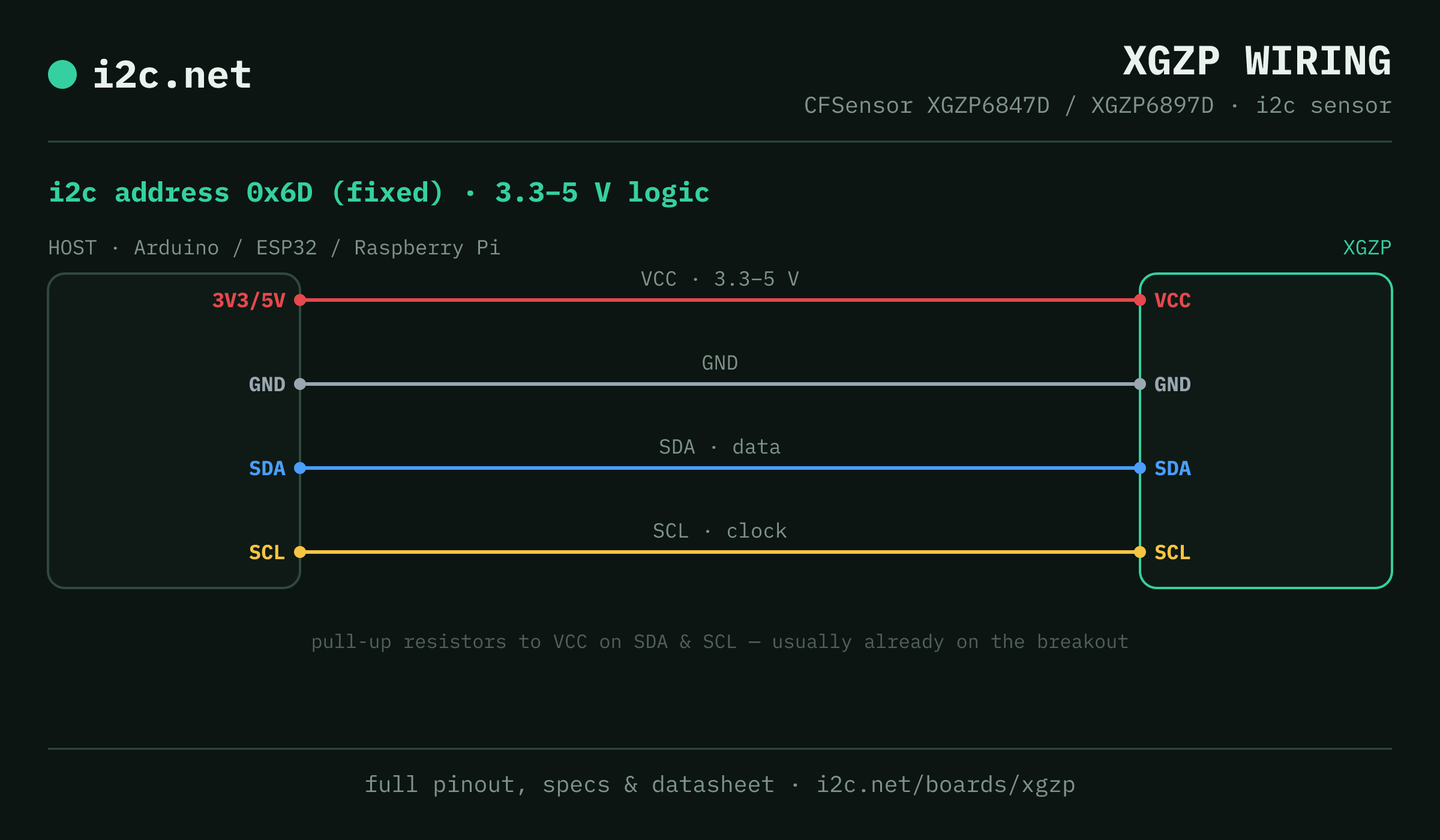
The XGZP talks i2c at address 0x6D. It runs at 3.3–5 V, so match your host's logic level — if your host is 5 V and a board on the bus is 3.3 V-only, add a level shifter. Use the compatibility checker to confirm the exact cable for your setup.
The address is fixed, so two XGZPs can't share a bus directly — the address-conflict guide covers the workarounds (multiplexer, second bus).
Wiring is the usual four: power, ground, SDA and SCL, plus pull-up resistors — almost always already fitted on the breakout. Nothing showing up? Run an i2c scanner first; if the bus is silent, the 7-step checklist finds it faster than guessing.
Alternatives
Other i2c sensors
Get one
Questions
XGZP i2c FAQ
What is the XGZP's i2c address?
The XGZP sits at a fixed address of 0x6D. It can't be changed, so two of them can't share one bus without a multiplexer or a second bus.
What voltage does the XGZP run at?
3.3–5 V logic. That range covers both 3.3 V and 5 V hosts, so it drops onto a Pi, ESP32 or Arduino without a level shifter.
Can I use two XGZPs on one i2c bus?
Not directly — every XGZP answers to 0x6D, so two on one bus would collide. Use a TCA9548A multiplexer to give each its own channel, or put the second one on a separate bus.
Does the XGZP come as a plug-together breakout?
Not in the mainstream connector ecosystems — XGZP modules are generic boards with 0.1″ headers, so you'll be soldering headers and running jumper wires to SDA, SCL, power and ground.
What should I watch out for with the XGZP?
Treat the address as unknown until you scan. Independent drivers document 0x6D as the usual address, but the XGZP6897D moved to 0x58 at datasheet revision V3.x, some XGZP6847D lots ship at 0x7F instead of 0x6D, and various listings claim 0x78 — note 0x78 and 0x7F both fall inside the i2c spec's reserved 0x78–0x7F block, which a scan sweeping only 0x08–0x77 will never find. Also watch the model suffix: it encodes the pressure span and whether the part is gauge, differential or absolute, and none of that is visible from the module photo.