TCA9546A — i2c address & wiring
4-channel i2c multiplexer — the little sibling of the TCA9548A conflict fixer.
Key facts
TCA9546A at a glance
| i2c address | 0x700x710x720x730x740x750x760x77 address-selectable via pins/jumpers |
|---|---|
| Logic voltage | 1.65–5.5 V |
| Type | mux |
| Part | TI TCA9546A |
| Ships with | generic modules — plain 0.1″ headers, no connector system |
| Datasheet | TI TCA9546A — manufacturer documentation ↗ |
The chip
What the TI TCA9546A actually is
Four-channel i2c switch: the host talks to the mux at its own address, opens any combination of downstream channels, and identical-address devices stop colliding because each lives on its own electrically isolated segment. Each channel can run at its own voltage (1.65–5.5 V), so it level-shifts between segments as a side effect.
Watch out: It shares the 0x70–0x77 block with the TCA9548A, HT16K33 LED backpacks and DFRobot's O2 sensor — ironic territory for a conflict fixer — so strap its address pins away from anything else living up there. And remember: downstream devices only appear in a scan while their channel is open.
Wiring
How to connect the TCA9546A
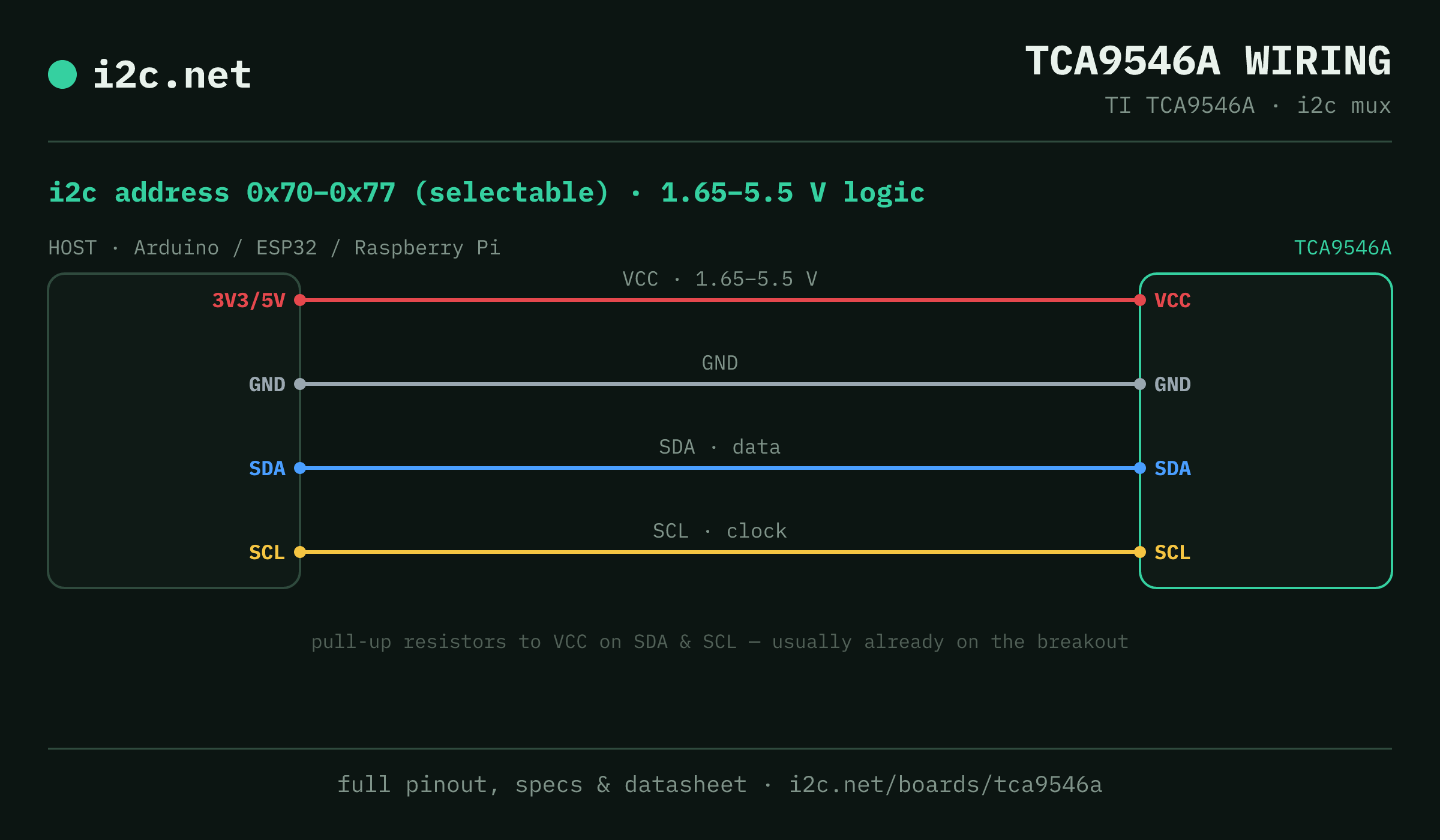
The TCA9546A talks i2c at address 0x70 (up to 8 selectable addresses, handy when you need more than one on the same bus). It runs at 1.65–5.5 V, so match your host's logic level — if your host is 5 V and a board on the bus is 3.3 V-only, add a level shifter. Use the compatibility checker to confirm the exact cable for your setup.
Because the address is selectable, you can run several TCA9546A boards on one bus by setting each to a different address — no extra wiring beyond the shared SDA/SCL.
Wiring is the usual four: power, ground, SDA and SCL, plus pull-up resistors — almost always already fitted on the breakout. Nothing showing up? Run an i2c scanner first; if the bus is silent, the 7-step checklist finds it faster than guessing.
Go deeper
Guides covering the TCA9546A
Watch the bus
Boards that clash with the TCA9546A
These want addresses the TCA9546A also answers (0x70, 0x71, 0x72, 0x73, 0x76, 0x77), so they can't share a bus with it untouched. If one is address-selectable, strap it elsewhere; if not, the conflict guide covers the multiplexer and second-bus routes, and the collision roundup explains why a scan won't warn you.
Get one
Questions
TCA9546A i2c FAQ
What is the TCA9546A's i2c address?
The TCA9546A uses 0x70 or 0x71 or 0x72 or 0x73 or 0x74 or 0x75 or 0x76 or 0x77, selected with an address pin or solder jumper on the board. If a scan turns up something unexpected, our i2c address list names the usual suspect for every address.
What voltage does the TCA9546A run at?
1.65–5.5 V logic. That range covers both 3.3 V and 5 V hosts, so it drops onto a Pi, ESP32 or Arduino without a level shifter.
Can I use two TCA9546As on one i2c bus?
Yes — set each one to a different address (0x70, 0x71, 0x72, 0x73, 0x74, 0x75, 0x76, 0x77) using its address pin or jumper, then wire both to the same SDA/SCL. That gives you up to 8 on a single bus before you need a multiplexer.
Does the TCA9546A come as a plug-together breakout?
Not in the mainstream connector ecosystems — TCA9546A modules are generic boards with 0.1″ headers, so you'll be soldering headers and running jumper wires to SDA, SCL, power and ground.
What should I watch out for with the TCA9546A?
It shares the 0x70–0x77 block with the TCA9548A, HT16K33 LED backpacks and DFRobot's O2 sensor — ironic territory for a conflict fixer — so strap its address pins away from anything else living up there. And remember: downstream devices only appear in a scan while their channel is open.